前言

近日断断续续在学习python的基础知识,决定完成一个小爬虫为阶段性检测。

用正则爬取豆瓣热门电影并以excel格式保存在本地。

第一次编程python,在编写规范上有很多需要改进的地方,原版代码我会放在最后。

步骤

框架

学习了很多大佬的blog,在代码实现前先捋清楚了自己要以怎样的方式去爬取数据,分哪几步思考,以怎样的形式存储,进而确定了编写的框架:

  1. 找到目标网页我们需要数据的源代码
  2. 正则匹配出我们需要的关键数据
  3. 保存关键数据并写入文件

1. 找到目标网页原代码

1
2
3
4
5
6
7
8
9
10
11
12
13
14
15
16
17
18
19
20
21
22
23
24
25
26
27
28
29
30
31
32
import requests
#py3使用urllib.parse,否则会报错
from urllib.parse import urlencode

def get_page(Startnumber):
# key内容分析网页url得到
Key = {
'type':'movie',
'tag':'热门',
'sort': 'recommend',
'page_limit': 20,
'page_start': Startnumber
}
# 这里的url来自bp抓包后找到的带有数据的网页,而不是渲染页面展示的url
url = 'https://movie.douban.com/j/search_subjects?' + urlencode(Key)
# headers内容主要是为了解决目标网站的反爬机制,非必须
headers = {'User-Agent': 'XXXX'}
# proxies参数是使用代理池
try:
response = requests.get(url,headers = headers,proxies = {"https":"http://12XXX"},verify = False)
# encoding解决页面中文乱码问题
response.encoding='utf-8'
# print(url)
# 可以返回具体的.status_code,便于我们了解连接是否成功
# print(response.status_code)
if response.status_code == 200:
# print('123')
return response.text
# py3需要as e
except Exception as e:
print('请求出错')
print(e)

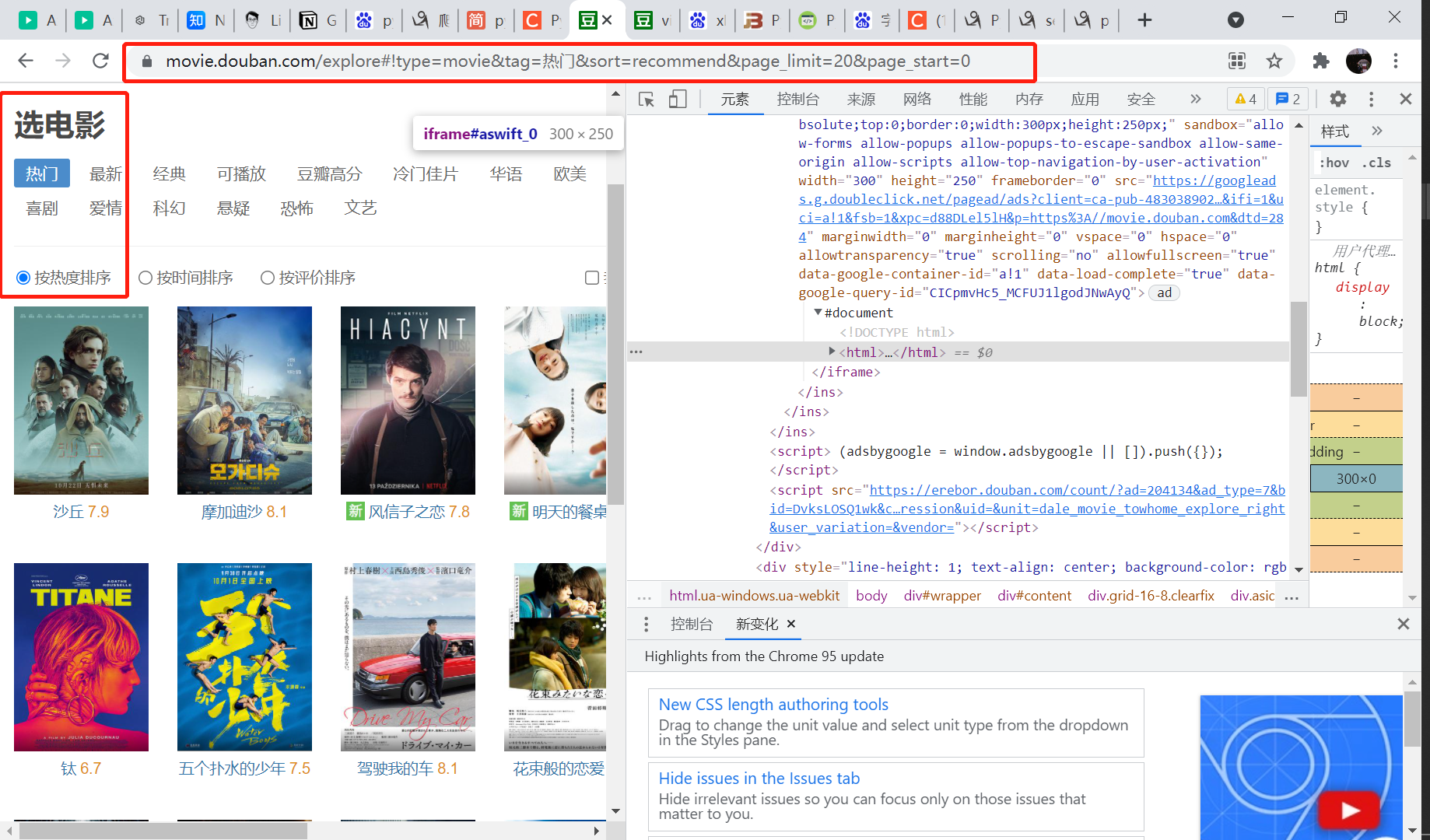
这是豆瓣热门电影的url:https://movie.douban.com/explore#!type=movie&tag=%E7%83%AD%E9%97%A8&sort=recommend&page_limit=20&page_start=0

5OFw5D.png

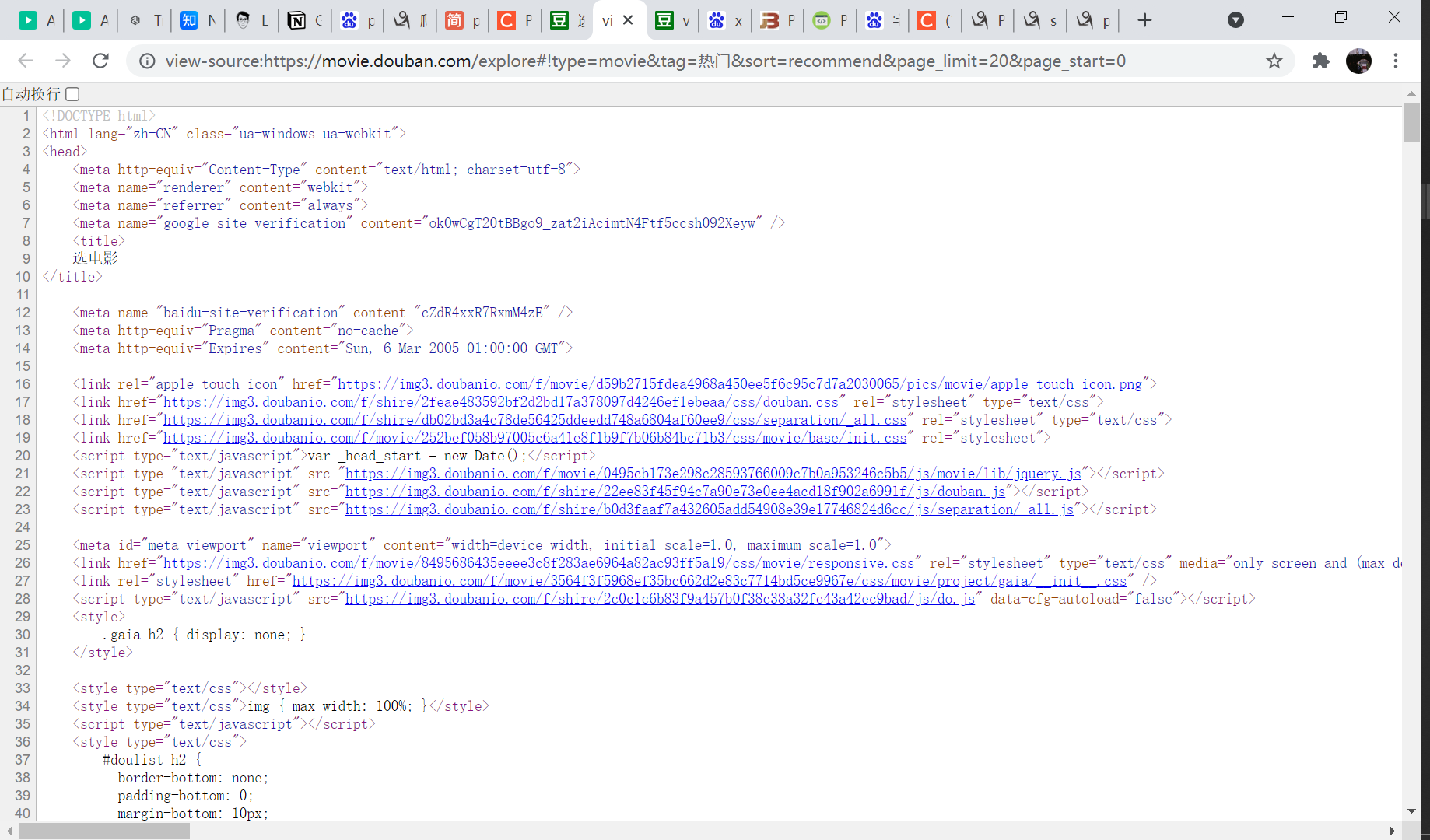
右键查看源代码没有任何有用信息:

5OFsxA.png

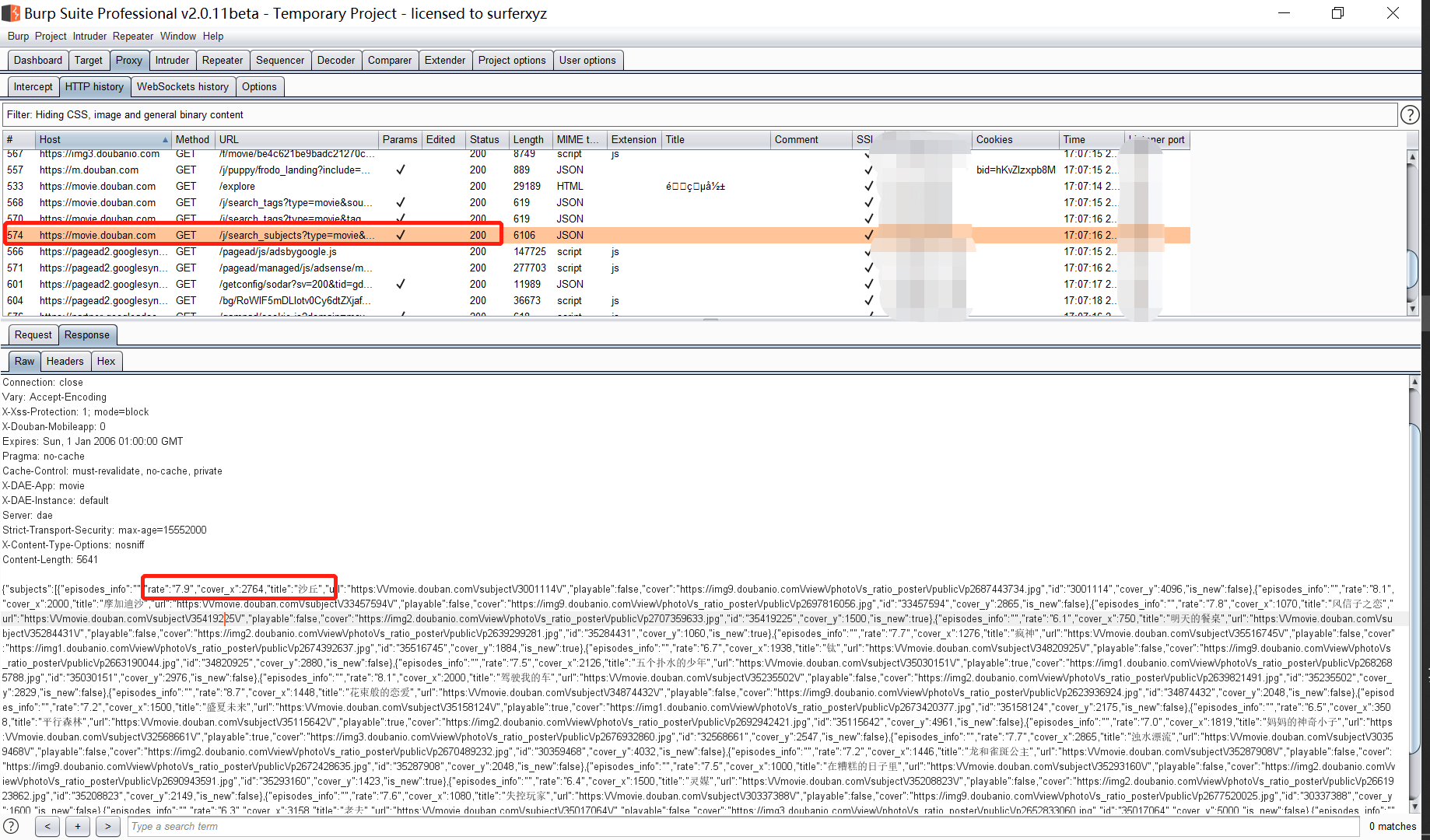
使用bp抓包,找到带有我们目标数据的内容:

5OFcrt.png

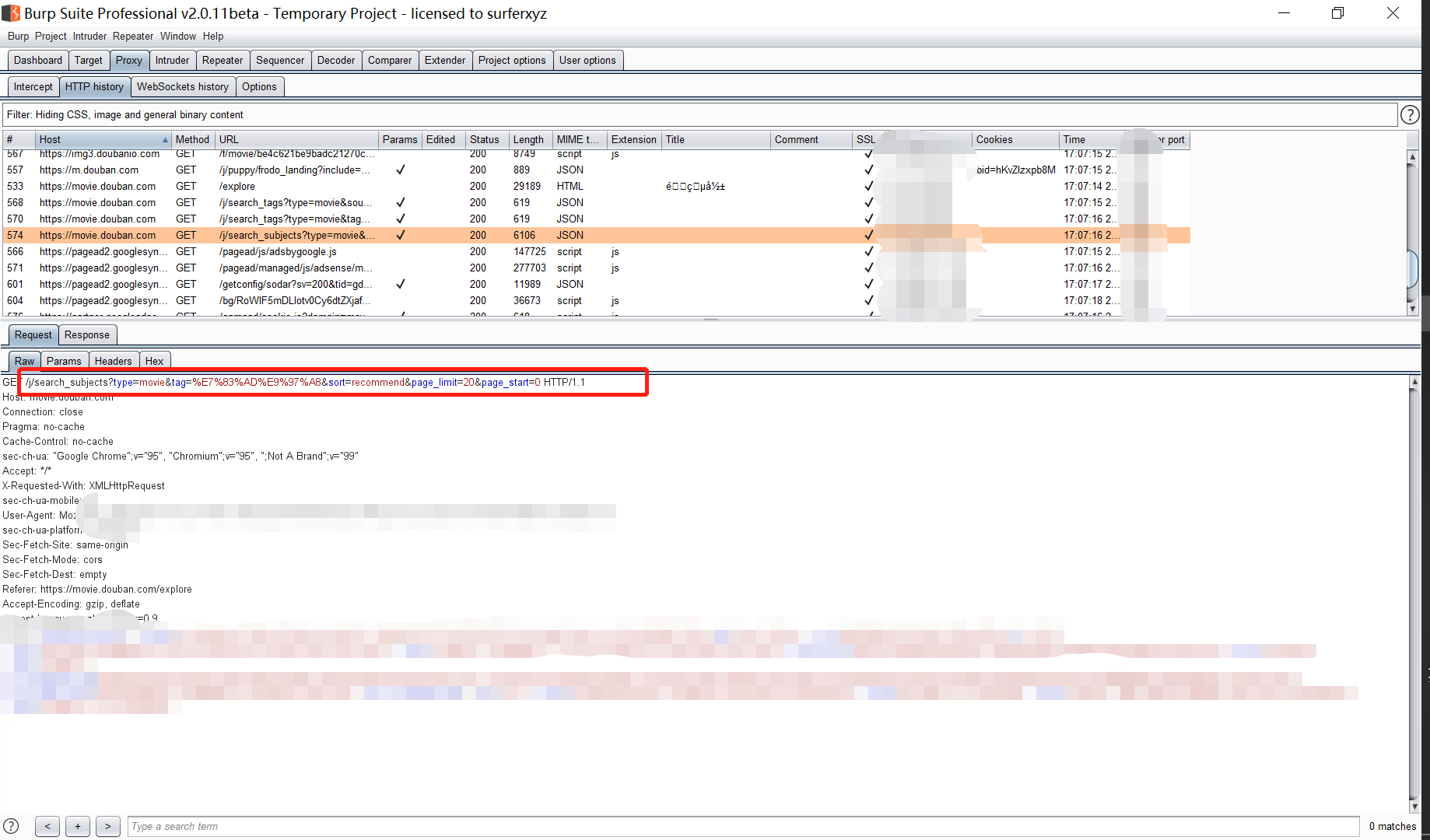
图中才是我们需要的资源真正存在的网址:

5OFfIS.png

https://movie.douban.com/j/search_subjects?type=movie&tag=%E7%83%AD%E9%97%A8&sort=recommend&page_limit=20&page_start=0

2. 正则匹配数据

某一页目标网页源代码:

5OFGvR.png

1
2
3
4
5
6
7
import re

re_title = r'\"title\":\"(.*?)\"'
re_score = r'\"rate\":\"([0-9].[0-9])\"'
# print(Html)
title_all = re.findall(re_title,Html,re.M)
score_all = re.findall(re_score,Html,re.M)

3. 保存数据写入文件

1
2
3
4
5
6
7
8
9
10
11
12
13
14
15
16
17
18
19
20
import xlwt

#文档初始化
fl = xlwt.Workbook()
sheet1 = fl.add_sheet('DoubanList',cell_overwrite_ok=True)
# 列名
rowtitle = ['Number','FileTitle','FileScore']
# 写列名
for i in range(0,len(rowtitle)):
sheet1.write(0,i,rowtitle[i])
# 写标号
for i in range(200):
sheet1.write(i+1,0,i+1)

# 写数据
for i in range(0,len(title_all)):
sheet1.write(i+Position,1,title_all[i])
# for i in range(0,len(score_all)):
sheet1.write(i+Position,2,score_all[i])
fl.save('路径/DoubanList.xls')

源代码

1
2
3
4
5
6
7
8
9
10
11
12
13
14
15
16
17
18
19
20
21
22
23
24
25
26
27
28
29
30
31
32
33
34
35
36
37
38
39
40
41
42
43
44
45
46
47
48
49
50
51
52
53
54
55
56
57
58
59
60
import requests
import re
import xlwt
from urllib.parse import urlencode

#文档初始化
fl = xlwt.Workbook()
sheet1 = fl.add_sheet('DoubanList',cell_overwrite_ok=True)
rowtitle = ['Number','FileTitle','FileScore']
for i in range(0,len(rowtitle)):
sheet1.write(0,i,rowtitle[i])
for i in range(200):
sheet1.write(i+1,0,i+1)

def get_page(Startnumber):
Key = {
'type':'movie',
'tag':'热门',
'sort': 'recommend',
'page_limit': 20,
'page_start': Startnumber
}
url = 'https://movie.douban.com/j/search_subjects?' + urlencode(Key)
headers = {'User-Agent': 'Mozilla/5.0 (Windows NT 10.0; Win64; x64) AppleWebKit/537.36 (KHTML, like Gecko) Chrome/95.0.4638.54 Safari/537.36'}
try:
response = requests.get(url,headers = headers,proxies = {"https":"http://121.5.219.58:58888"},verify = False)
response.encoding='utf-8'
# print(url)
# print(response.status_code)
if response.status_code == 200:
# print('123')
return response.text
except Exception as e:
print('请求出错')
print(e)

def get_html(Html,Position):
#正则匹配关键性息
re_title = r'\"title\":\"(.*?)\"'
re_score = r'\"rate\":\"([0-9].[0-9])\"'
# print(Html)
title_all = re.findall(re_title,Html,re.M)
score_all = re.findall(re_score,Html,re.M)
print(title_all)
print(score_all)
#写入文件
for i in range(0,len(title_all)):
sheet1.write(i+Position,1,title_all[i])
# for i in range(0,len(score_all)):
sheet1.write(i+Position,2,score_all[i])
fl.save('路径/DoubanList.xls')

def main():
for i in range(10):
Html = get_page(i*20)
get_html(Html,i*20+1)

if __name__ == '__main__':
main()

优化点

  1. import按照包名长短排序
  2. 变量名小写,两个单词间用_连接
  3. 错误情况提示
  4. 函数名指代清楚函数的作用
  5. 记得加注释